Mirror Link
Flavapp
3.2
AD
Release Details
AD
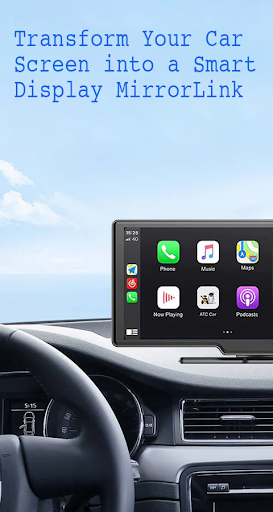
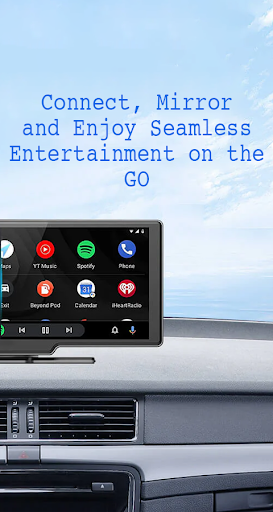
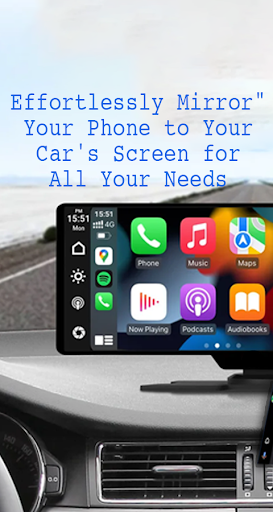
With Mirror Link , you can connect your phone to your car’s screen wirelessly or via USB. This app allows you to display your phone’s screen on your car’s screen and other devices, enhancing driving safety by providing easy access to your phone’s features.
Features:
- Static Screen Sharing: Share your smartphone screen with your car screen easily and stably.
- WIRELESS AND USB CONNECTION: Connect your phone to your car’s display without any cables using wireless connectivity options.
- Screen Sharing and Communication: Simple and fast connection with one click.
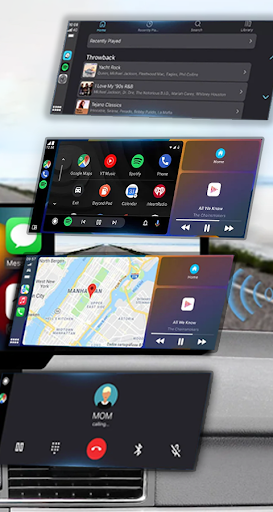
- Multimedia Access: Listen to music, watch movies, text, call, and view maps on your car screen.
- Automation: You can play and pause music automatically when your device connects to the car display.
- Full Mirror Link: Enjoy the phone with full mirror link on the car screen.
- Smart mirror link: Works with old and new cars.
- Universal Compatibility: Compatible with all car brands and devices with built-in web browsers.
- Mirrorlink Car Play: Seamlessly integrates with Mirror Link CarPlay and Android Auto systems.
Turn your phone into a convenient control panel for using various applications via your car’s touchscreen, watch movies and listen to music on YouTube and other platforms, and utilize Apple CarPlay and Android Auto for hands-free calling, navigation maps, and music streaming. Enhance road safety with easy access to your phone’s features, allowing you to focus on driving. Additionally, use a simple car starter app to connect your phone to your car’s TV without any screen sharing cable.
how to use:
1. Make sure your phone and car have Miracast/Wireless display options.
2. In the car’s Dashbroid, turn on the “Miracast” function.
3. Open the Mirror Link app, select “Connect Car”, and wait for the device to be searched.
4. Create a connection to mirror your phone screen with car screen easily.
Mirror Link is an easy app to cast to any car screen, providing a great mirror experience. Enable Mirrorlink for your car to enjoy web video streaming, photo streaming, audio streaming, and simple automation screen connections. Automatically play and pause when your mobile phone connects to your car’s screen.
Disclaimer:
Mirror Link is owned by us and we are not affiliated, associated, authorized, sponsored, or endorsed by, or in any way officially connected with any other apps or companies.
Average Rating
22.76K+
Rating Breakdown
Featured Reviews
By Richard
2024-03-12
Version 25.0
advertisementsoffline_functionalityPretty much tells you about the quality of an app when they request a Star rating before you can use it. Then when we got past the invasive full-screen ad (which appeared to be part of the app installation), we entered our car model to make a connection. Off course, Hyundai was not even on the disappontingly short list of supported vehicles, with many of those dimmed out. Probably a waste of time for most, as echoed by so many in these reviews.
By David Deane
2025-10-15
Version 40.0
securitypaymentawful experience. Asked for my credit card information before I could use the app. DO NOT INSTALL!
By Gary Hicks
2021-03-04
Version
advertisementsMostly Ads in apps can be tolerated, but this is close to an obscene money grab. I was forced to click the Read First option, which opened an Ad. I closed the Read First option, which opened an Ad. I clicked Connect, which opened an Ad and then told me there was nothing to connect with. I was sitting in the car, with the ignition turned on, at the time. This has 1 star simply because it isn't possible to rate any lower. Uninstalled this "app" immediately as it is utterly useless.
Screenshots
Hot Apps