TV Cast: Anycast in smart view
TV Master - Smart TV Remote Control
4.5
AD
Release Details
| Publisher Country | US |
| Country Release Date | 2020-09-17 |
| Categories | House & Home |
| Country / Regions | US |
| Developer Website | TV Master - Smart TV Remote Control |
| Support URL | TV Master - Smart TV Remote Control |
| Content Rating | Everyone |
AD
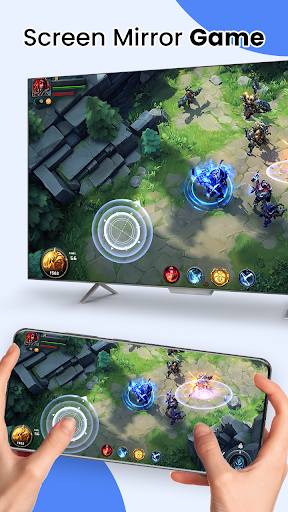
Want to chromecast or screencast your phone’s movie/game/video/picture on your big screen TV in smart view via DLNA? Screen share them on a large screen to make them look more amazing?
EasyCast has all functions that fulfills your wishes. TV Cast video, photo, game, music and movie to your TV in wireless display!
Anycast Feature:
• Automatically search nearby TVs to cast screen via DLNA
• Scans local & SD cards files: music, audio, video, photo, PPT/slides
•Chromecast/Miracast/Screencast/Anycast/All share Cast/TV Cast/Airplay for all media
• Low latency with wireless display
• Multiple video playback modes
• TV Remote control function
How to screen share my phone to TV in smart view?
1. Turn off VPN and make sure your phone and TV are connected to the same Wi-Fi network
2. Launch the app and it will search for available devices nearby, then select the device to cast screen
4. Select local file to tv cast in samsung smart view
5. Start to enjoy the big screen viewing experience with stayconnect devices.
Built-in DLNA device/player/smart TV supported:
-Microsoft Xbox One
-Amazon Fire TV & Fire Stick
-Miracast for android to tv
: Roku, smart TV Samsung, Vizio,
screen share LG smart tv, Hisense, Sony, Panasonic, Sharp, Toshiba, Philips, Insignia,Videocon Dth, Philco, Aoc, Jvc, Haier, Westinghouse, Daewoo, Sansui, Sanyo, Akai, Polaroid, Mi TV, Huawei TV etc.
-Other DLNA TV equipment
Disclaimer:
*Make sure your tv is DLNA certified before using
*This app is not an official TV brand product and is not affiliated with any of the above brands.
*Please know the differences of the screen mirroring, samsung dex and miracast. TV Casting does not display exactly what’s on your screen the way screen mirroring does. You can close the app and do other phone actions without interrupting the casting.
Download TV Cast: Anycast in smart view
Not Available
Average Rating
151.21K+
Rating Breakdown
Featured Reviews
By Karston Watkins
2023-04-04
Version 2.4
AdsDifficultHate itPrivacyWaitingAd Central! This app is more like an endless list of deceptive ads with a tiny bit of functionality. The sheer number of ads makes the app very hard to use. Every single action you do, from selecting media to share, to finding the correct TV, is interrupted by two full-screen ads with timers that force you to wait before closing. It does work so I gave it an extra star. I'm wishing I hadn't approved any permissions because I didn't trust a dev who allows this many ads. Uninstalled.
By Jake
2021-10-13
Version
AdsAudioNetworkIt casts, but can't choose where to start on audio files. No forward/back control. Does not disconnect from receiver when option is chosen. Ads play with audio loud by default, and muting one does not affect the setting when future ads are shown. Two stars only because it does do it's primary function of casting, but necessary secondary functions are either missing or do not work.
By Aldo Gutierrez
2022-09-19
Version 2.2
AdsHate itLove itToo many stupid ads, you literally can't go from one function to another without an ad in between and the ads look like they're part of the app so you can easily be tricked on clicking on it, which is too annoying. Waste of my phone's space and time, don't bother unless you love ads which I'm certain no one does.
Screenshots




Hot Apps